
Finally say goodbye to WordPress.
We redesign and rebuild your site on a modern Next.js stack so you get a faster frontend, clearer content workflows, and a platform that actually helps you convert.
The Choice
Your site doesn’t need to be held together by plugin duct tape.
Each feature is another plugin, another bill, and another point of failure you have to maintain just to keep the site usable.
Hosting Optimizer
Required just to make WordPress feel fast.
Caching Layer
Performance depends on configuration luck.
Image Optimization
Pay per image to stay fast.
Page Builder
Locks content into proprietary layouts.
Page Builder Addons
Needed to fill feature gaps.
Theme Framework
Design dictated by someone else's assumptions.
Custom Fields
Essential content requires extra tooling.
Custom Post Types
Core content types are bolted on.
Contact Forms
Simple forms need plugins.
Form Addons
Basic integrations cost extra.
Email Delivery
Emails fail without third-party services.
SEO Toolkit
Optimization is outsourced to a plugin.
Analytics
Performance insights are external.
Cookie Consent
Compliance adds friction and scripts.
Storefront Engine
Every feature is an addon.
Payment Gateway
Revenue tied to third parties.
Checkout Customization
Simple UX changes require plugins.
Membership System
Core access rules are not native.
Role & Permission Manager
Permissions get complex fast.
Media Cloud Storage
Media lives outside WordPress anyway.
Video Hosting Embed
Video is never actually in WordPress.
Security Suite
Protecting WordPress is a full-time job.
Backup & Restore
Disaster recovery is optional unless paid.
Update Management
Every update risks breaking the site.
API Integrations
Connecting tools means more plugins.
Automation / Webhooks
Logic lives outside the site.
Admin UI Cleanup
The dashboard fights users.
Login & Auth Customization
Even logging in needs help.
Custom Avatars
Personalization takes extra plugins.
Hosting Optimizer
Required just to make WordPress feel fast.
Caching Layer
Performance depends on configuration luck.
Image Optimization
Pay per image to stay fast.
Page Builder
Locks content into proprietary layouts.
Page Builder Addons
Needed to fill feature gaps.
Theme Framework
Design dictated by someone else's assumptions.
Custom Fields
Essential content requires extra tooling.
Custom Post Types
Core content types are bolted on.
Contact Forms
Simple forms need plugins.
Form Addons
Basic integrations cost extra.
Email Delivery
Emails fail without third-party services.
SEO Toolkit
Optimization is outsourced to a plugin.
Analytics
Performance insights are external.
Cookie Consent
Compliance adds friction and scripts.
Storefront Engine
Every feature is an addon.
Payment Gateway
Revenue tied to third parties.
Checkout Customization
Simple UX changes require plugins.
Membership System
Core access rules are not native.
Role & Permission Manager
Permissions get complex fast.
Media Cloud Storage
Media lives outside WordPress anyway.
Video Hosting Embed
Video is never actually in WordPress.
Security Suite
Protecting WordPress is a full-time job.
Backup & Restore
Disaster recovery is optional unless paid.
Update Management
Every update risks breaking the site.
API Integrations
Connecting tools means more plugins.
Automation / Webhooks
Logic lives outside the site.
Admin UI Cleanup
The dashboard fights users.
Login & Auth Customization
Even logging in needs help.
Custom Avatars
Personalization takes extra plugins.
Custom Tailored Solution
Migrate to a custom-built site or app with the exact features you need and free from all the needless bulk of WordPress.
The problem
Is WordPress failing you?
WordPress was built to publish quickly, not to keep up with modern marketing demands. Over time, every update piles on more plugins, more clutter, and more friction.
You are in the wrong place if:
- Plugins run basic features
- Updates feel risky
- Admin is slow and cluttered
- Simple edits take too long
- Site feels heavy or dated
- Adding new features feels impossible
The shift
Leaving WordPress is possible, and we can help.
This service is designed to be flexible. Our goal is to help you move away from WordPress in a way that fits your needs, whether that means a complete redesign or keeping your site looking exactly the same while we modernize the backend. We focus on your goals first and tailor the rebuild to support them.
- Redesign UI/UX around conversion paths.
- Simplify content editing for your team.
- Rebuild the frontend for speed and SEO.
- Remove plugin dependency entirely.
Outcomes
What changes when you move to a custom, modern site.
Faster load times
Only the code your site needs, shipped as a lean Next.js app.
Cleaner content workflows
Swap the WordPress admin for a CMS or content setup built around you.
UX that converts
Messaging, layout, and flow rebuilt around your business goals.
Lower maintenance
Fewer updates, fewer plugins, and fewer surprises over time.
Room to grow
A platform that scales without turning into another mess.
How it works
A simple, streamlined process.
Clear steps that keep your team aligned from audit to launch.
Audit
The audit is automated and delivered immediately after running a site check. It evaluates performance, plugin dependency, admin complexity, and overall platform fit, giving you a clear snapshot of where WordPress is creating friction and what paths forward make the most sense.
Roadmap
Based on the audit results, we define a clear, prioritized roadmap for the rebuild. This outlines scope, technical direction, content structure, and key decisions upfront so the project stays focused and predictable from start to finish.
Redesign
Redesign is guided by your brand, not trends. Layout, typography, and structure are refined to match your brand's personality and voice while improving clarity, usability, and conversion. The result is a system that feels intentional and durable, not fashionable or dated.
Migration
Content and SEO are migrated carefully while transitioning you off the WordPress admin entirely. Depending on your needs, this can mean a modern CMS, a file-based workflow, or a fully custom dashboard so site management fits how your team actually works.
Launch
Before launch, the site is tested for performance, accessibility, and production readiness. Deployment is planned to minimize disruption, resulting in a clean, stable release on a modern stack.
Maintenance
Post-launch maintenance keeps the platform fast, secure, and easy to run. Monitoring, updates, and ongoing improvements are handled proactively so the site stays reliable without returning to plugin-driven complexity.
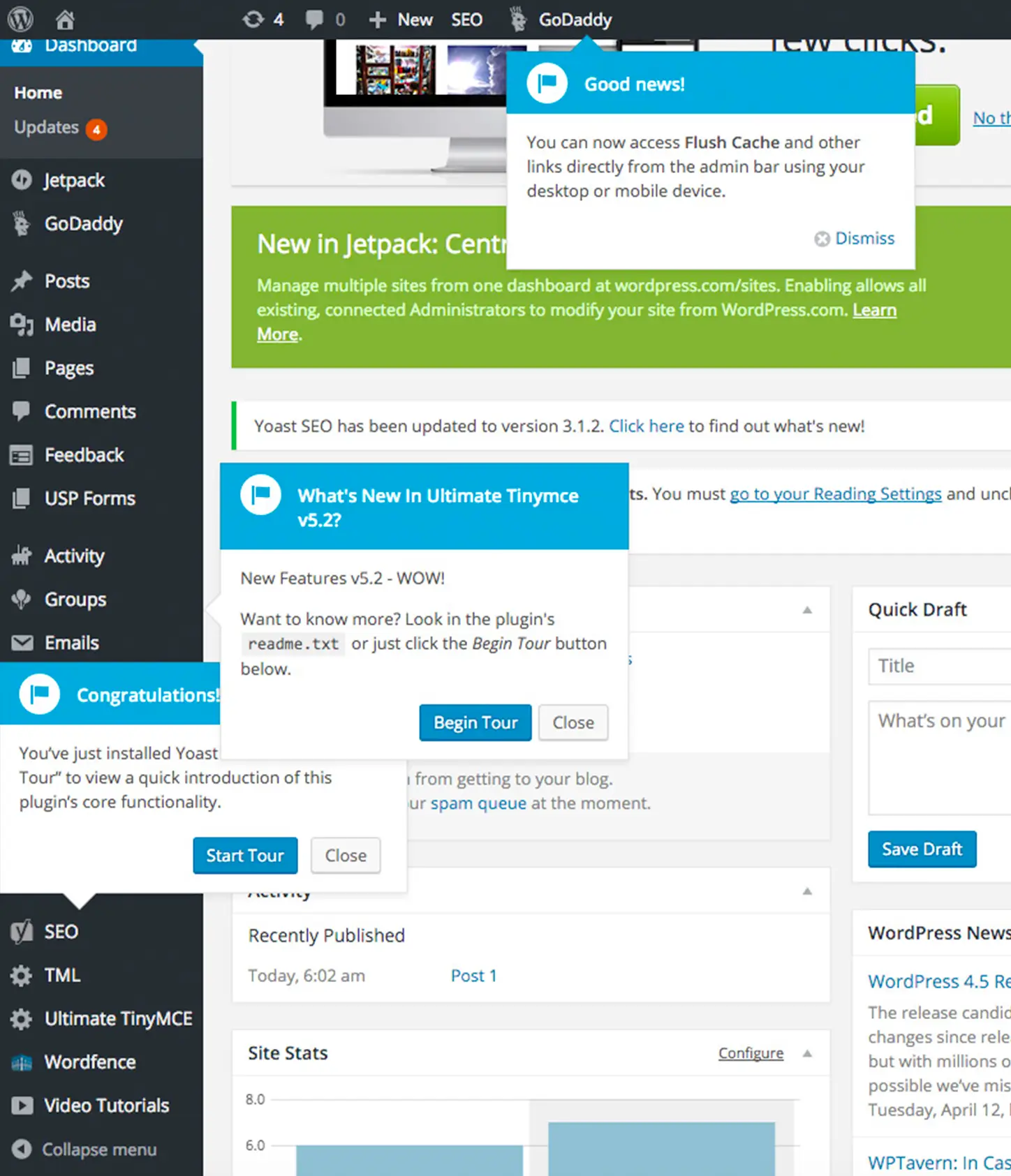
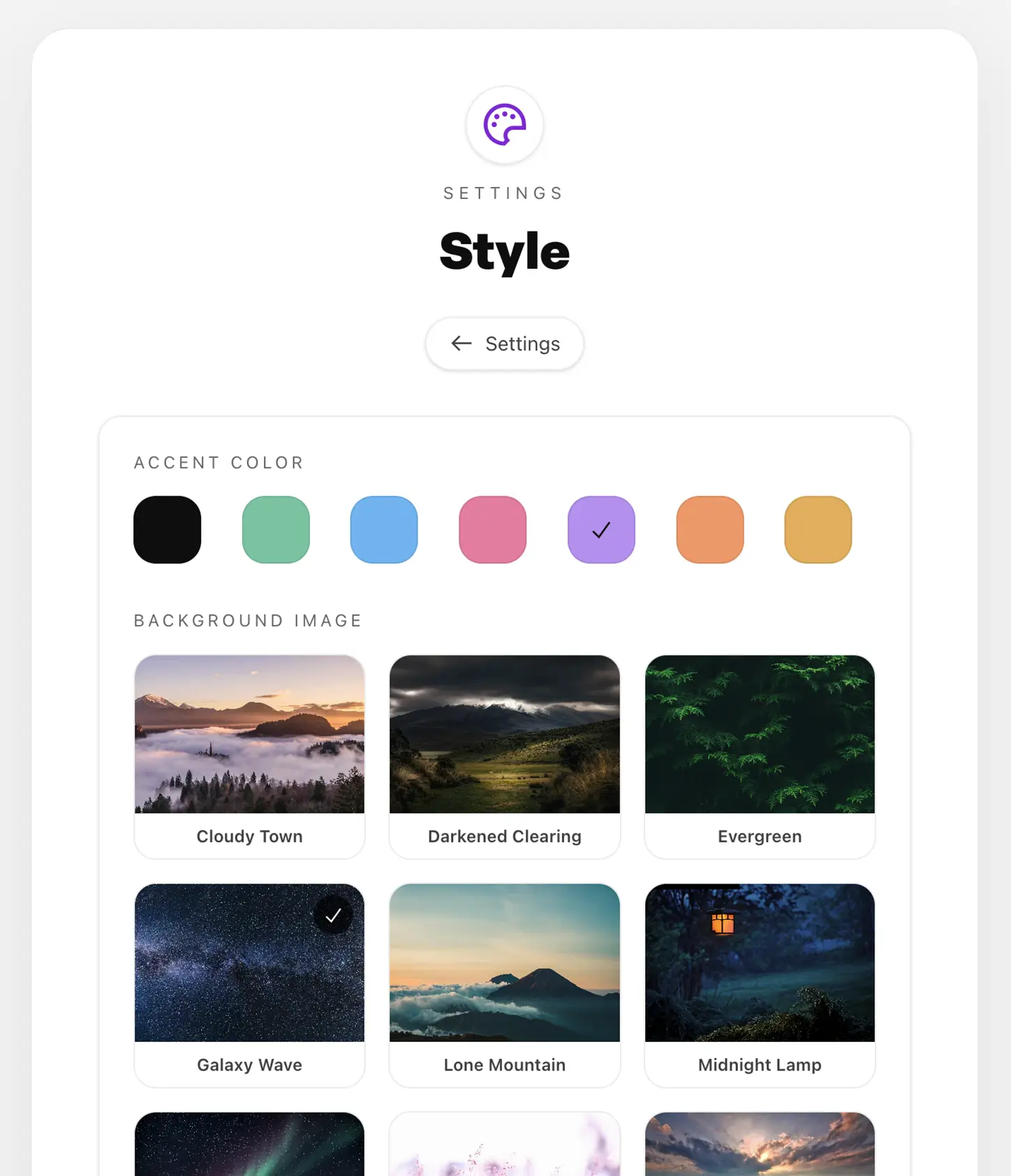
Admin comparison
WordPress admin vs. a custom-built experience.
See the cluttered WP backend next to a purpose-built admin designed for clarity, speed, and focus.
Portfolio
Modern, user-centric, conversion-driven design.
Landing pages, marketing sites, and web apps rebuilt with intention. Every example emphasizes speed, usability, and conversion without the weight of WordPress or its ecosystem.
Simpler site management
Three options to replace the WordPress admin.
For agencies
Built for agencies and marketing teams.
White-label friendly, no client poaching, and a clean handoff. You stay client-facing while we handle the rebuild.
- Clear scope and timelines
- No pitching your clients
- Structured handoff packages
- A reliable technical partner
The stack
A hand-picked, modern dev stack.
Next.js + Tailwind
A modern frontend that ships only what your site needs.
Vercel hosting
Global performance, zero downtime deployments, no server babysitting.
MongoDB
Flexible content models without legacy database baggage.
Backblaze B2
Fast, reliable file storage that keeps media decoupled.
Brevo
Reliable email delivery without plugin headaches.
Cloudflare
Global edge security, caching, and performance tuning.
Custom integrations
Endless possibilities through custom API integrations. Zero plugins required.
Connect the services your team already uses and compose a backend that fits your workflows, automations, and growth.
Endless possibilities
Just a taste of what we can build.
Marketing + Business
- Marketing websites
- Landing pages
- Company sites
- Startup launch sites
Commerce + Monetization
- Online stores
- Product catalogs
- Digital downloads
- Subscription experiences
Content + Publishing
- Blogs
- Newsrooms
- Documentation
- Knowledge bases
Education + Community
- Online courses
- Learning portals
- Communities
- Resource hubs
Tools + Apps
- Free web tools
- Dashboards
- Forms & lead systems
- Search experiences
Platforms
- WordPress replacements
- WooCommerce rebuilds
- Legacy CMS migrations
- API-driven apps
See the difference
Take a test drive.
Explore a few live builds to get a feel for the polish, speed, and flexibility this approach delivers.
Comparison
WordPress vs. a modern site.
| Category | WordPress | Modern site |
|---|---|---|
| Ease of use | Cluttered admin | Purpose-built admin |
| Editing | Page builder dependence | Focused workflows |
| Plugins | Dozens required | Built-in features |
| Updates | Constant risk | Minimal upkeep |
| Performance | Heavy page weight | Fast by default |
| Security | Large attack surface | Smaller footprint |
| Flexibility | Theme constraints | Custom design |
| Scalability | Harder over time | Designed to grow |
Analytics
Get stunning insights into customer behavior.
Track every step of the journey with clear, real-time dashboards that surface what visitors do, where they hesitate, and what moves them to convert.
Pricing
Flexible plans to fit your team.
Get off WordPress
Migration Only
From $2,500
Replatform fast without changing the design.
- Next.js rebuild of existing site
- Content and SEO migration
- Deployment to modern hosting
- WordPress removed entirely
A fresh start
Full Rebuild
From $6,500
Redesign + rebuild for growth and conversion.
- UX + content structure planning
- New layouts and messaging
- Custom admin/CMS setup
- Launch support included
Add-on Service
Ongoing Site Management
Custom Priced
Hosting, monitoring, and ongoing improvements.
- Managed hosting stack
- Monitoring + updates
- Performance checks
- Priority support
All projects are scoped after a free audit to ensure accurate pricing.
A Quick Hello
Meet the founder.
Hi, I'm Thomas and for over 15 years, I have been wireframing, designing, coding, and launching websites ranging from five-page informational sites to full-scale online shopping experiences. Throughout my design and development career, I have primarily used WordPress.
I remember the first site I built over 15 years ago, tabbing back and forth between Stack Overflow and other resources to launch my very first WordPress website. Since then, I have taken on countless clients and built hundreds of sites. However, I noticed WordPress has become heavier and more bloated over time. It shifted away from the simple, clean writing experience it once offered and turned into a monolith, making it feel burdensome to start new projects. The number of frameworks, plugins, themes, and hacks required to get a WordPress website to work grew year after year, leading to a variety of security issues. The ecosystem became populated with plugins and tools that spammed users with ads, notifications, and reminders, creating a usability nightmare.
This prompted me to search for an alternative. I had been a fan of React and its style of creating reusable components for building clean, modern websites. During my exploration, I discovered Next.js. After reading the documentation and building my first site, I found that it was five to ten times faster than any WordPress site I had built, despite my deeper knowledge of WordPress.
From that point forward, I decided to use a more modern and slim development stack, leading to faster, more secure, and easier-to-use sites. Best of all, there are fewer security holes, and I am completing projects five to ten times faster than before.
Now that I've experienced this with my own sites and some clients, I want to make this opportunity more widely available. Approximately 30% of the internet still relies on the old platform of WordPress, and very few site owners are aware that an alternative exists despite their frustrations.
The good news is that I've found it, and I'm happy to help you and your team shift over as well. It's never been more possible than right now. I look forward to you joining me in leaving WordPress behind and getting a site that's modern, fast, more secure, and best of all, helps grow your business.
Thomas McGee
Founder of BeyondWP

Looking for an incredibly talented designer who is passionate about helping your brand succeed on the web? Thomas is your guy, no question. I only wish the entire web could be Rightly Designed!
—John M.
Thomas was responsive, professional, and came up with terrific designs that really reflected my needs. It's like he could read my mind!
—Anne J.
Thomas came up with a great design idea on the very first try, plus he was very willing to try several other designs to test this against. His interaction was professional and prompt. This was a very easy process!
—Robert M.
Beautiful designs, awesome customer service. Thomas is very responsive and easy to work with.
—Gail B.
Thomas is quick to respond, clear in his communications, and produces impeccable work. I highly recommend him!
—Ray E.
FAQ
Common questions, clear answers.
Everything teams ask before deciding to leave WordPress behind.
If we remove plugins and build things custom, does that mean the site takes much longer to build?
No. In most cases, it is actually faster. Plugins feel like a shortcut, but they rarely are. Even when using an "off-the-shelf" plugin, there is still time spent installing it, configuring it, adapting it to your theme, and working around limitations or conflicts. Many plugins are designed to serve thousands of different use cases, which means you end up paying the performance and complexity cost for features you never use. A modern build works differently. Instead of bolting together dozens of third-party tools, features are built directly into the site using a modern framework. That means only the functionality you actually need is created, with no extra weight. From a development standpoint, this is also more efficient. WordPress plugins require multiple layers of code working together. Modern tools like Next.js allow features to be built in a single, clean codebase with far less overhead. Fewer moving parts means fewer bugs, fewer compatibility issues, and faster development overall. The result is a site that is quicker to build, easier to maintain, and far more predictable long term than a plugin-heavy WordPress setup.
Why leave WordPress at all?
WordPress was designed for fast publishing, not long term product or marketing platforms. Over time, most sites accumulate plugins, page builders, and workarounds that slow performance, increase risk, and make simple changes harder than they should be. A modern rebuild removes that complexity and replaces it with a platform designed around your actual goals.
My WordPress site is hosted with a single company. Why does the modern approach use multiple services?
WordPress bundles everything together by default: hosting, database, media, admin, and plugins all living in one place. That convenience comes at the cost of flexibility, performance, and security. Modern sites split responsibilities across best-in-class services. Hosting, content, media, email, and security are handled by specialized tools that each do one job extremely well. This results in faster load times, fewer failure points, easier scaling, and a system that is far easier to maintain long term. While it looks like more pieces, it is actually simpler to operate and far more reliable.
Can our team manage the accounts required to run the site and provide you access?
Yes. Many teams prefer to own and control their accounts. You can create and manage all services, then grant us access during the build. Once the project is complete, access can be adjusted or removed as needed.
Will this hurt our SEO?
No. SEO is preserved and often improved. URLs, metadata, redirects, and content structure are carefully migrated. The faster performance and cleaner markup of a modern stack typically lead to better search visibility over time.
Do we have to redesign the site?
No. A redesign is optional. Some teams want a full visual and structural overhaul, while others want to keep the site looking exactly the same and focus only on performance and maintainability. The audit helps determine the best path.
What replaces the WordPress admin?
That depends on your team. Options include a modern CMS with a clean editor, a file-based workflow for technical teams, or a custom dashboard built around your exact needs. The goal is always to reduce friction and make content management faster and clearer.
Is this harder for non-technical editors?
No. In most cases, it is easier. Editors are not dealing with plugins, page builders, or cluttered menus. The interface is designed specifically around how your team edits content, not around generic WordPress assumptions.
What happens to our plugins?
Plugins are removed entirely. Their functionality is either built directly into the site or replaced with clean integrations to external services. This eliminates plugin updates, compatibility issues, and security risks.
Is this more expensive than WordPress?
Upfront costs are typically higher than installing a theme, but long term costs are often lower. You avoid ongoing plugin fees, emergency fixes, performance problems, and rebuilds caused by WordPress limitations. The result is a platform that lasts.
How long does a typical project take?
Timelines depend on scope, but most projects range from a few weeks for migrations to a few months for full rebuilds. The roadmap phase defines this clearly before work begins.
Who owns the final site and infrastructure?
You do. The site, codebase, content, and service accounts belong to you. There is no lock-in.
Do you work with agencies?
Yes. The service is white-label friendly. You stay client-facing while we handle the technical rebuild and handoff cleanly when complete.
What happens after launch?
Post-launch support is available through Ongoing Site Management. This includes hosting oversight, monitoring, updates, and ongoing improvements so the site stays fast and stable without slipping back into complexity.
How do we get started?
Start with the free audit. It provides a clear, automated snapshot of where WordPress is creating friction and what realistic options exist. From there, you decide if a migration or full rebuild makes sense.
Ready to start?
Start with the audit. Decide the rebuild after.
Get a free modernization audit, see where WordPress is slowing you down, and decide if a redesign and rebuild makes sense.
Get your free site audit